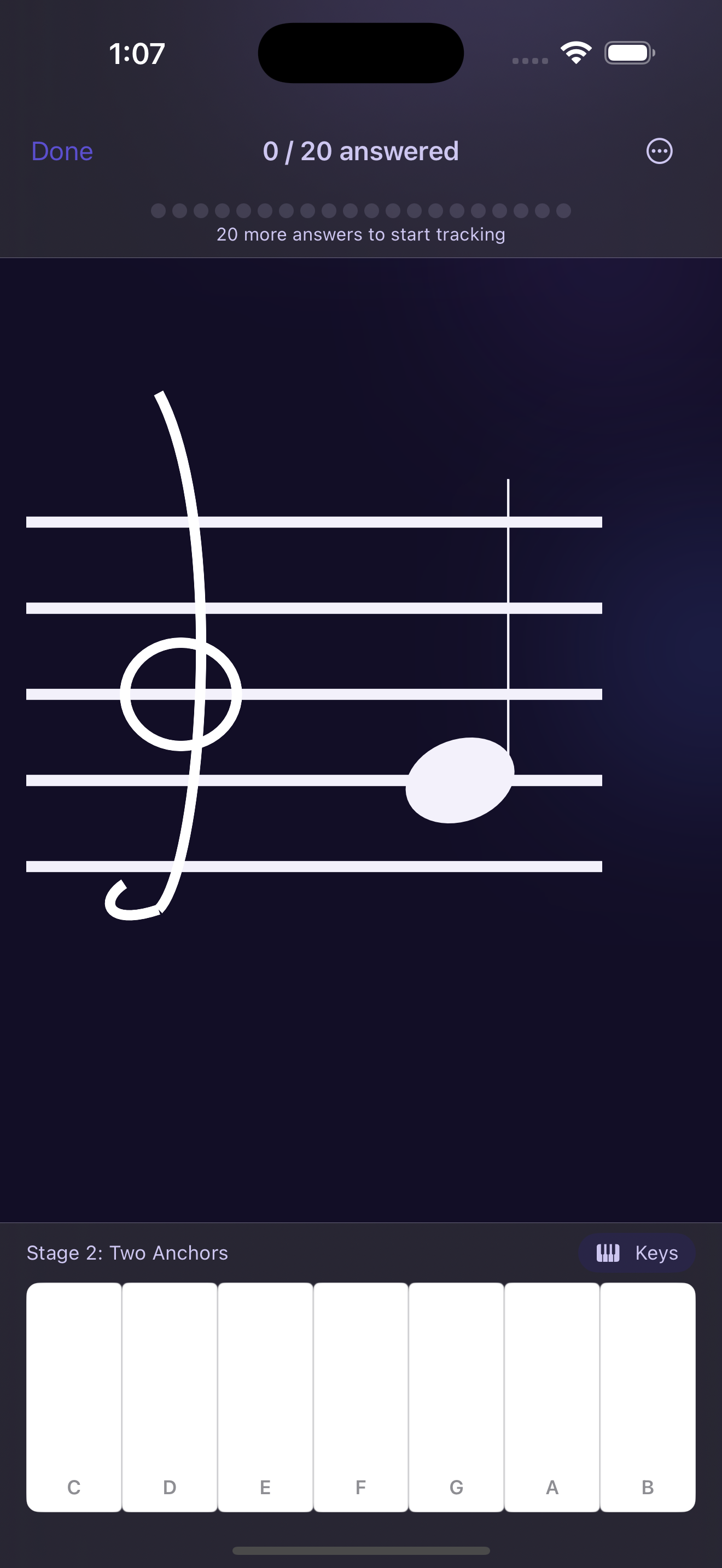
They drop the whole staff on you on day one.
Thirty-five notes, sharps, flats, no context. For someone who's never read music, that's just noise — every note feels equally foreign because you have no anchor to read from.
That's not a failure of effort or talent. It's an app with no on-ramp. The fix isn't more notes — it's starting where music teachers actually start: landmark notes, not mnemonics.
A week of daily practice on a popular note-reading app — and that was still my score. The problem wasn't effort. It was the method.
Not a gimmick — how fluent readers navigate the staff.
You read real music.
By the end of the eight stages you can read the treble and bass notes covering most beginner-to-intermediate piano pieces — actual notation, not exercises.
Five-to-ten-minute sessions.
Each stage is a focused drill on one or two notes. Practice until recognition is automatic, then stop. It fits a lunch break.
Progress is earned, not waited out.
Accuracy is tracked per note. You see exactly where you stand and advance only when the number says you're ready.
One payment, no subscription.
First three stages free. The full curriculum — eight stages, accidentals, ledger lines — is $4.99 once. Nothing recurs.
Earn every note after it.
Click a stage to see the staff fill in — tap any lit note to hear its pitch.
First anchor — G4
The note the treble clef wraps around. One note. Drill it cold until you know it in under half a second.
You advance by reaching 90% accuracy with fast recall — not by waiting out a timer.
If you can hear it but can't read it.
You bought a keyboard and can play by watching YouTube, but can't read a single note on the staff.
You took piano lessons as a kid, stopped, and want to restart with a foundation that actually works.
You play guitar or another instrument by ear and want to finally read notation — if you already identify notes by ear, the early stages go quickly.
You've tried other note-reading apps and bounced within a week because they dropped you in the deep end.
Your child is in piano or violin lessons and needs structured practice between sessions.
Prove it works for free. Then pay once.
The first three stages are completely free — no ads, no nags, no credit card. Enough to lock in G, C, A and B.
Not sure yet? The free tier isn't a trial — Stages 1–3 are yours forever, no credit card, no time limit.
- ✓Stages 1–3 (4 notes)
- ✓Piano & note-name input modes
- ✓Per-note mastery tracking
- ✓Daily streak
- ✓Reference screen with audio
- ✓All 8 stages
- ✓Accidentals (sharps + flats)
- ✓Ledger line notes
- ✓Advanced practice mode
- ✓Everything in Free
Out now on the App Store.
StaffReader 1.0 shipped on August 5, 2026. Download it free, start with G, and earn every note after it. Want occasional updates on new stages and features? Leave your email below.
Start reading sheet music. One note at a time.
The first three stages are free — no account, no credit card. If the method works for you, unlocking the rest costs less than a practice book and nothing recurs.